OneLayer
Overview
SkyPath OneLayer is the world's first smart, consolidated ride quality layer. It integrates the best global turbulence data sources into one smart layer, including:
- SkyPath Observations
- SkyPath ADS-B Vertical Rate derived turbulence
- SkyPath Forecast (with 24-hour predictions)
- EDR
- PIREPs
With real-time insights, intelligent notifications, and a user-friendly display, OneLayer enhances situational awareness and reduces workload.
SkyPath can be used in two modes: observations mode, and OneLayer mode. Observation mode includes only SkyPath Observations. OneLayer mode includes all of the layers listed above, consolidated within the OneLayer. OneLayer mode is subsequently an advanced feature, and in SkyPath’s premium subscription tier. As such, there could be some customers who subscribe to Observations mode (basic subscription), and others who subscribe to OneLayer mode (premium subscription), but they are mutually exclusive. This necessitates a feature flag to enable either Observations or OneLayer Modes.
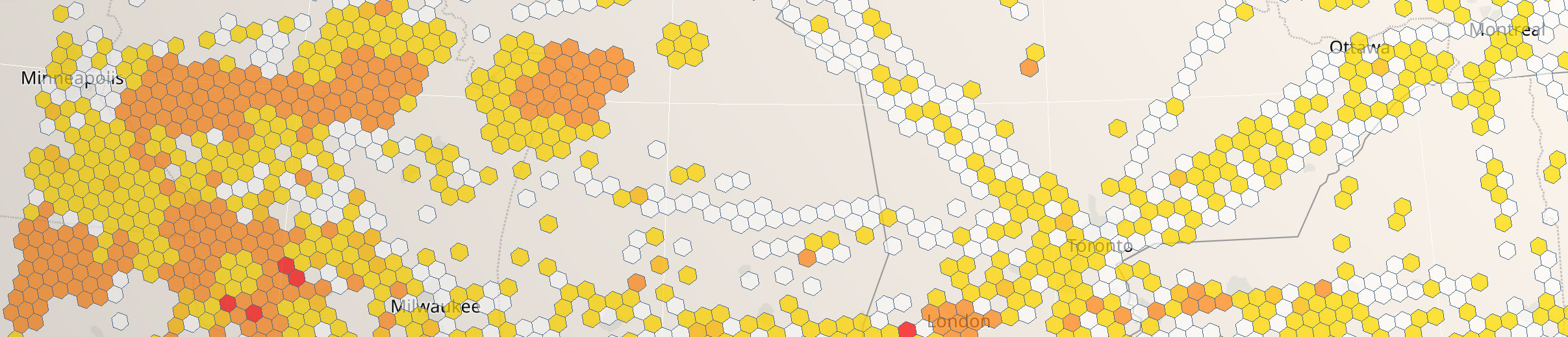
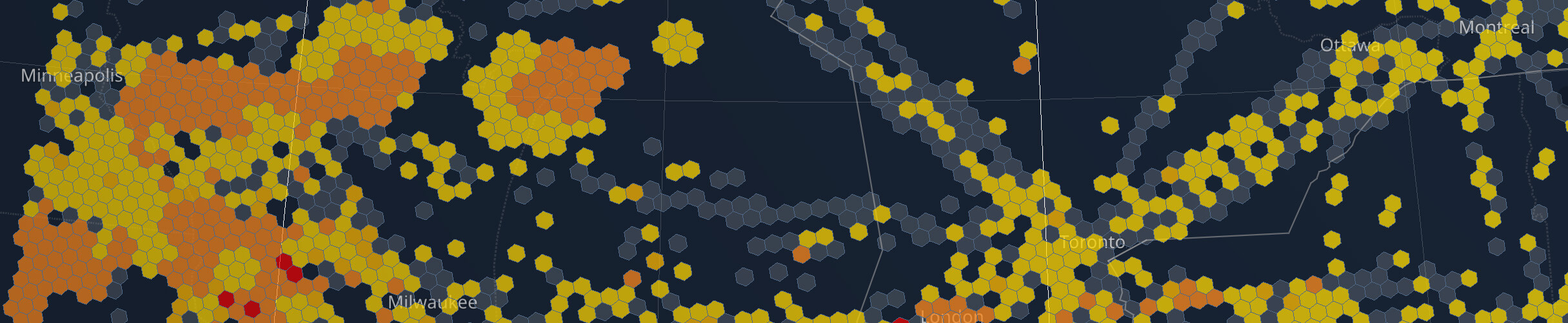
UX
- Show either Observations or OneLayer, not both.
- Use flag to check if OneLayer is enabled
DataType.oneLayer.enabled
- Use flag to check if OneLayer is enabled
- Use the same UX
OneLayerItemandObservationsItemboth implement theTurbulenceItemableprotocol, soOneLayerItemhas all the same properties and a few more.
- Consider changing the UX to show OneLayer's additional data
- List of all sources contributing to the report from
OneLayerItem.sources - The leading source of the report from
OneLayerItem.usedSource

- List of all sources contributing to the report from
- Implement above UX changes everywhere data is shown - data on tap, notifications, etc.


Setup
By default, the OneLayer data fetch is disabled in FetchConfig.types. You can change it at any time.
OneLayer and Observations are separate subscription modes, so fetch and show one of them, not both. The SDK does not prevent both from being in types, but fetching a layer you don't show only consumes network traffic. Set viewportTypes along with types so the viewport fetches the same layer.
let type: DataType = DataType.oneLayer.enabled ? .oneLayer : .observations
do {
    try SkyPath.shared.updateFetchConfig {
        $0.types = [type]
        $0.viewportTypes = [type]
    }
} catch {
    print(error)
}
When enabled, OneLayer will be fetched from the server every minute, same as Observations. Fetched data will be stored on disk and will be available offline.
Data will be fetched for areas set in FetchConfig.polygon and FetchConfig.viewport, similar to the observations fetch flow.
The SkyPathDelegate.didReceiveNewOneLayer(areaType:) delegate function will be called when the SDK has fetched new data from the server.
In case you need to check if this feature is enabled for you from the SkyPath side or not, you can check using the DataType.enabled property:
DataType.oneLayer.enabled
Query
See Query Data for the general query data approach details.
To query OneLayer, you will need:
OneLayerQueryfor a configurationSkyPath.oneLayer(with:)function to query the dataOneLayerItemto process the result items
Example of how to query the OneLayer data:
var query = OneLayerQuery(
    altRange: altRange,
    resultOptions: .geoJSON,
    dataHistoryTime: dataHistoryTime)
query.polygon = polygon

do {
    let result = try SkyPath.shared.oneLayer(with: query).get()
    let geoJSON = result.geoJSON
    // Show geoJSON on the map
} catch {
    print(error)
}
Each item in the result will have a list of data sources OneLayerItem.sources.
If DataType.oneLayer.enabled is disabled, the query will return an error, so make sure to have separate functions to query Observations and OneLayer:
if DataType.oneLayer.enabled {
    queryOneLayer()
} else {
    queryObservations()
}
Forecast
Forecast is a separately entitled feature on top of OneLayer. It is not auto-enabled — check entitlement and opt in explicitly:
if DataType.forecast.enabled {
    try SkyPath.shared.updateFetchConfig {
        $0.types.set(type: .oneLayer, enabled: true)
        $0.types.set(type: .forecast, enabled: true)
    }
}
.forecast requires .oneLayer to also be in types, otherwise it has no effect.
When entitled and enabled, OneLayer results will include the current hour prediction. To include a prediction for a specific time, set the future timestamp in OneLayerQuery.ts — no matter if it is a rounded hour or not. Inclusion can be controlled per-query by OneLayerQuery.isForecastEnabled, which is true by default.
Toggling .forecast in FetchConfig.types triggers SkyPathDelegate.didReceiveNewOneLayer(areaType:) so you can re-query and re-render the merged result.
When entitled, items influenced by forecast will list DataSourceType.forecast in OneLayerItem.sources.